Access via GraphQL API
Unlike the pyoso Python library, which has access to every model
in the data lake, the GraphQL API only exposes the subset of "mart" models.
The OSO API serves queries on metrics and metadata about open source projects. It is a GraphQL API backed by the OSO data pipeline.
Let's make your first query in under five minutes.
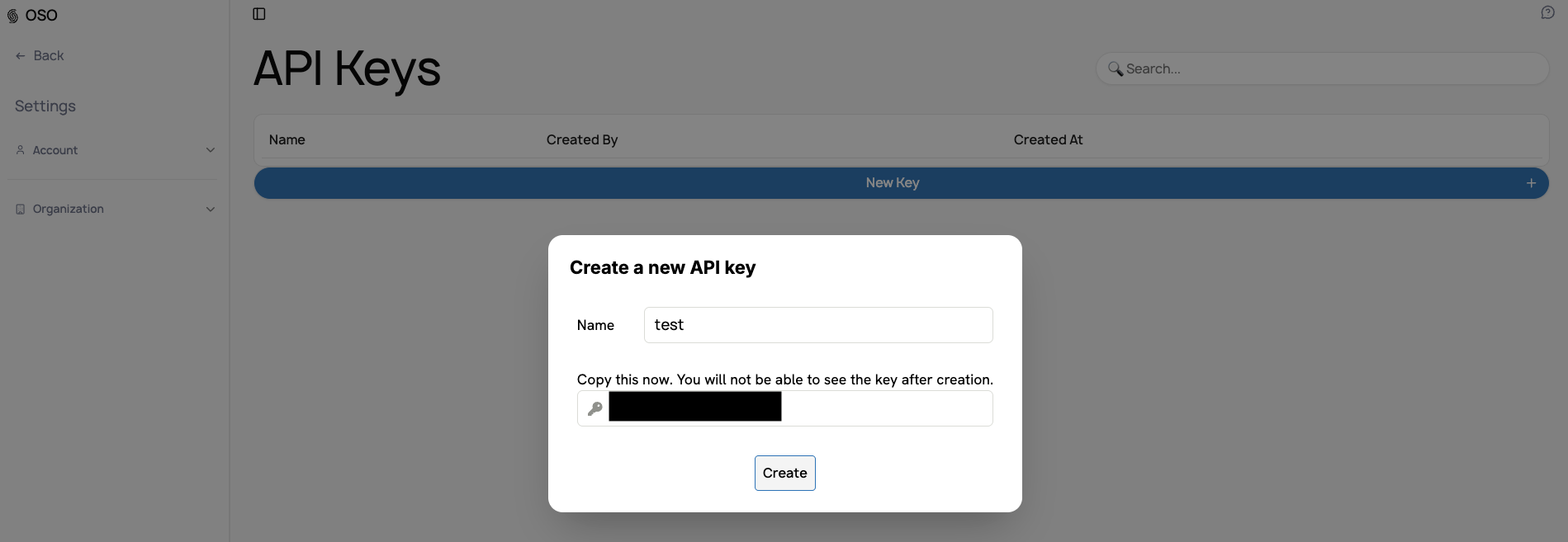
Generate an API key
- Log in to your account
- Navigate to your organization's Settings → API Keys
- Click "New Key +" and give it a descriptive name
- Save your key immediately - you won't see it again
Detailed step-by-step instructions
- Go to www.opensource.observer and log in
- You'll be redirected to your organization dashboard
- In the left sidebar, click the dropdown next to your organization name
- Select "Settings"
- Navigate to "Organization" → "API Keys"
- Click "New Key +"
- Enter a descriptive label (e.g., "Production API")
- Copy and save your key immediately
- Click "Create"
Prepare your query
You can navigate to our public GraphQL explorer to explore the schema and execute test queries.
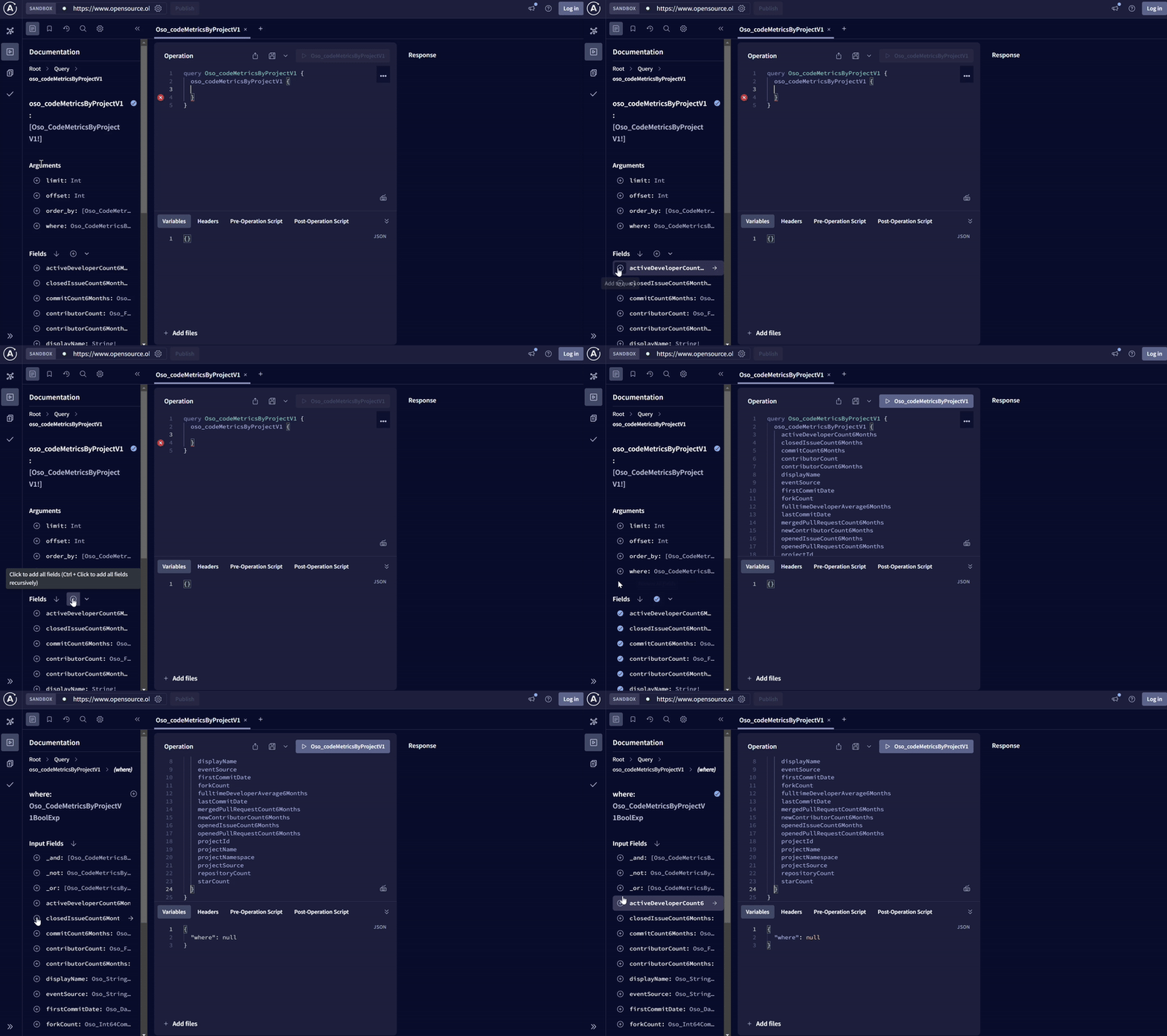
For example, this query will fetch the first 10 projects in oss-directory.
query GetProjects {
  oso_projectsV1(limit: 10) {
    description
    displayName
    projectId
    projectName
    projectNamespace
    projectSource
  }
}
Issue your first API request
All API requests are sent to the following URL:
https://www.oso.xyz/api/v1/graphql
In order to authenticate with the API service, you have to use the Authorization HTTP header and Bearer authentication on all HTTP requests
- curl
- JavaScript
- Python
curl -X POST \
  -H "Content-Type: application/json" \
  -H "Authorization: Bearer $DEVELOPER_API_KEY" \
  -d '{"query":"query GetProjects { oso_projectsV1(limit: 10) { description displayName projectId projectName projectNamespace projectSource } }"}' \
  https://www.oso.xyz/api/v1/graphql
const query = `
  query GetProjects {
    oso_projectsV1(limit: 10) {
      description
      displayName
      projectId
      projectName
      projectNamespace
      projectSource
    }
  }
`;
const headers = {
 'Content-Type': 'application/json',
 'Authorization': `Bearer ${DEVELOPER_API_KEY}`,
};

const response = await fetch('https://www.oso.xyz/api/v1/graphql', {
 method: 'POST',
 headers: headers,
 body: JSON.stringify({
   query: query
 }),
});

const data = await response.json();
console.log(data);
import requests

query = """
query GetProjects {
  oso_projectsV1(limit: 10) {
    description
    displayName
    projectId
    projectName
    projectNamespace
    projectSource
  }
}
"""

headers = {
    'Content-Type': 'application/json',
    'Authorization': f'Bearer {DEVELOPER_API_KEY}'
}

response = requests.post(
    'https://www.oso.xyz/api/v1/graphql',
    json={'query': query},
    headers=headers
)

data = response.json()
print(data)
Next steps
Congratulations! You've made your first API request. Now try one of our tutorials.