Access via Python
The OSO API serves
queries on metrics and metadata about open source projects.
You can access the full data lake via our pyoso Python library.
Let's make your first query in under five minutes.
Generate an API key
- Log in to your account
- Navigate to your organization's Settings → API Keys
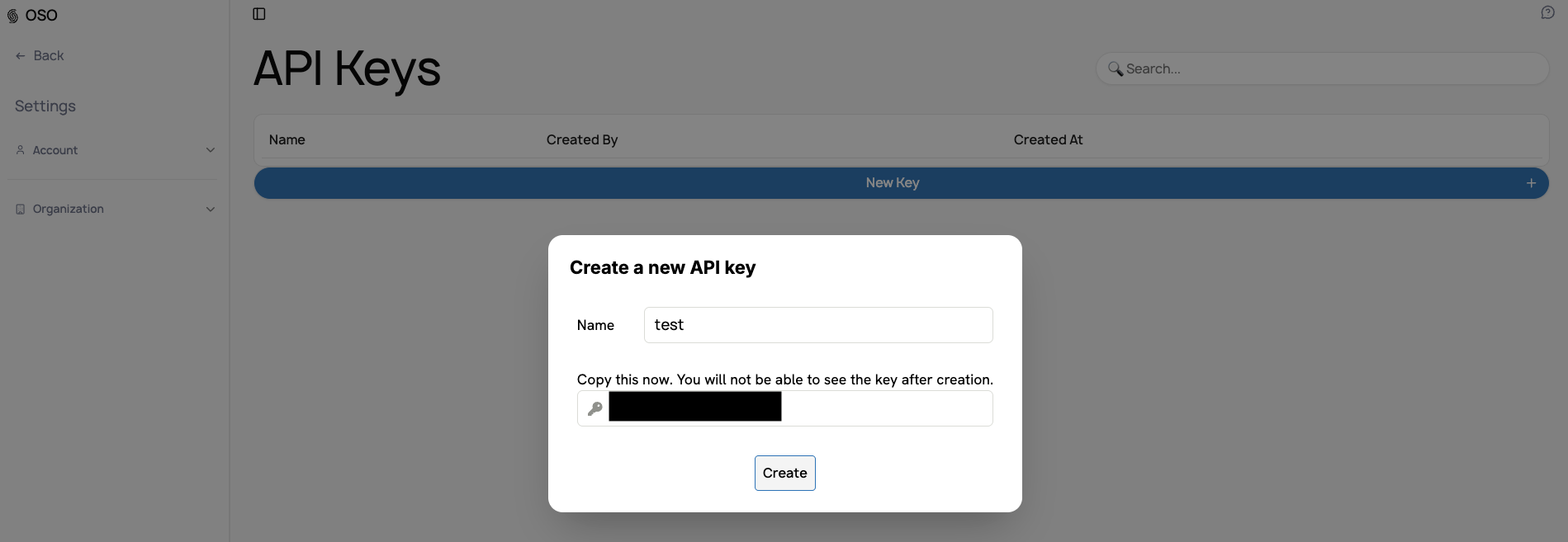
- Click "New Key +" and give it a descriptive name
- Save your key immediately - you won't see it again
Detailed step-by-step instructions
- Go to www.opensource.observer and log in
- You'll be redirected to your organization dashboard
- In the left sidebar, click the dropdown next to your organization name
- Select "Settings"
- Navigate to "Organization" → "API Keys"
- Click "New Key +"
- Enter a descriptive label (e.g., "Production API")
- Copy and save your key immediately
- Click "Create"
Install pyoso
You can install pyoso using pip:
pip install pyoso
Issue your first query
Here is a basic example of how to use pyoso:
from pyoso import Client

# Initialize the client
os.environ["OSO_API_KEY"] = 'your_api_key'
client = Client()

# Fetch artifacts
query = "SELECT * FROM artifacts_v1 LIMIT 5"
artifacts = client.to_pandas(query)

print(artifacts)